iOS · Android
Social media without the scroll.
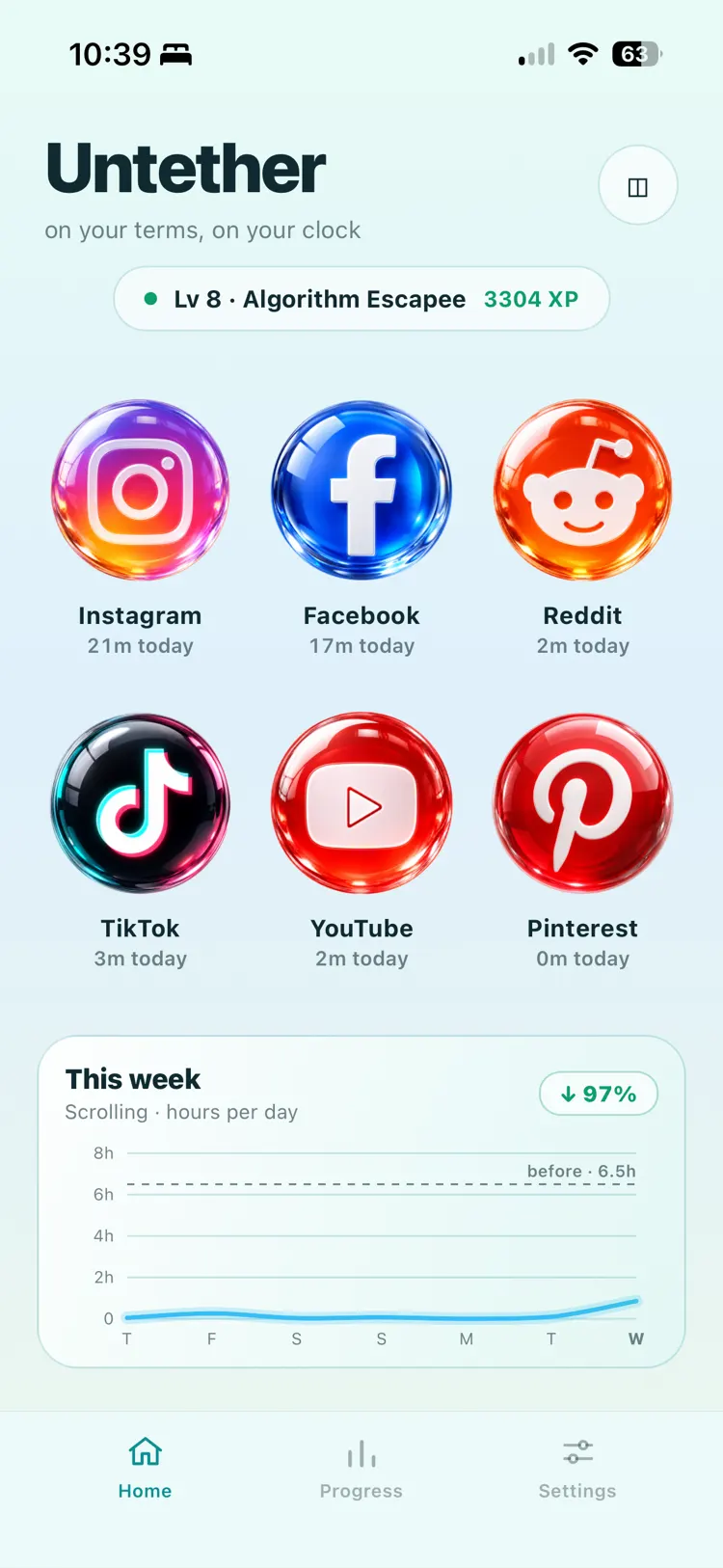
Untether runs Instagram, Facebook, Reddit, TikTok, YouTube, and Pinterest as calm, full-screen sessions with the addictive parts stripped out. You get what you came for, and you leave.
Get in. Get what you came for. Get out.
iOS & Android · No feed to fall into
The endless feed
The feed is the addiction.
So Untether takes it out.
Not hidden behind a timer. Not greyed out. The infinite scroll never renders in the first place — there is no bottom to reach for, because there is no list.
The infinite scroll
Home feed posts never render — stories and messages stay.
Sponsored posts & ads
Hidden before they ever reach your eyes.
“Get the app” nags
No banners begging you to leave for the real app.
App-Store escape hatches
Redirects that fling you to the store are removed.
What's left is the part you actually wanted: the message, the photo, the page. And with multiple named accounts per platform, you switch logins without ever meeting the algorithm.
Reels
Navigate to Reels and it quietly bounces you home
No tab, no autoplay, no thirty-second clip that turns into forty minutes. Reels, the Facebook Reels tray, and YouTube Shorts are all covered — short-form vertical video is the single most compulsive surface on these apps, so it's blocked by default.
The one polite exception
A friend sends you a reel? It plays. Once.
A reel in your DMs is a message, not a feed — so Untether lets it play. But scroll to the next one and you're bounced straight back to the conversation. You got the reel. You don't get the rabbit hole.
Shortcuts
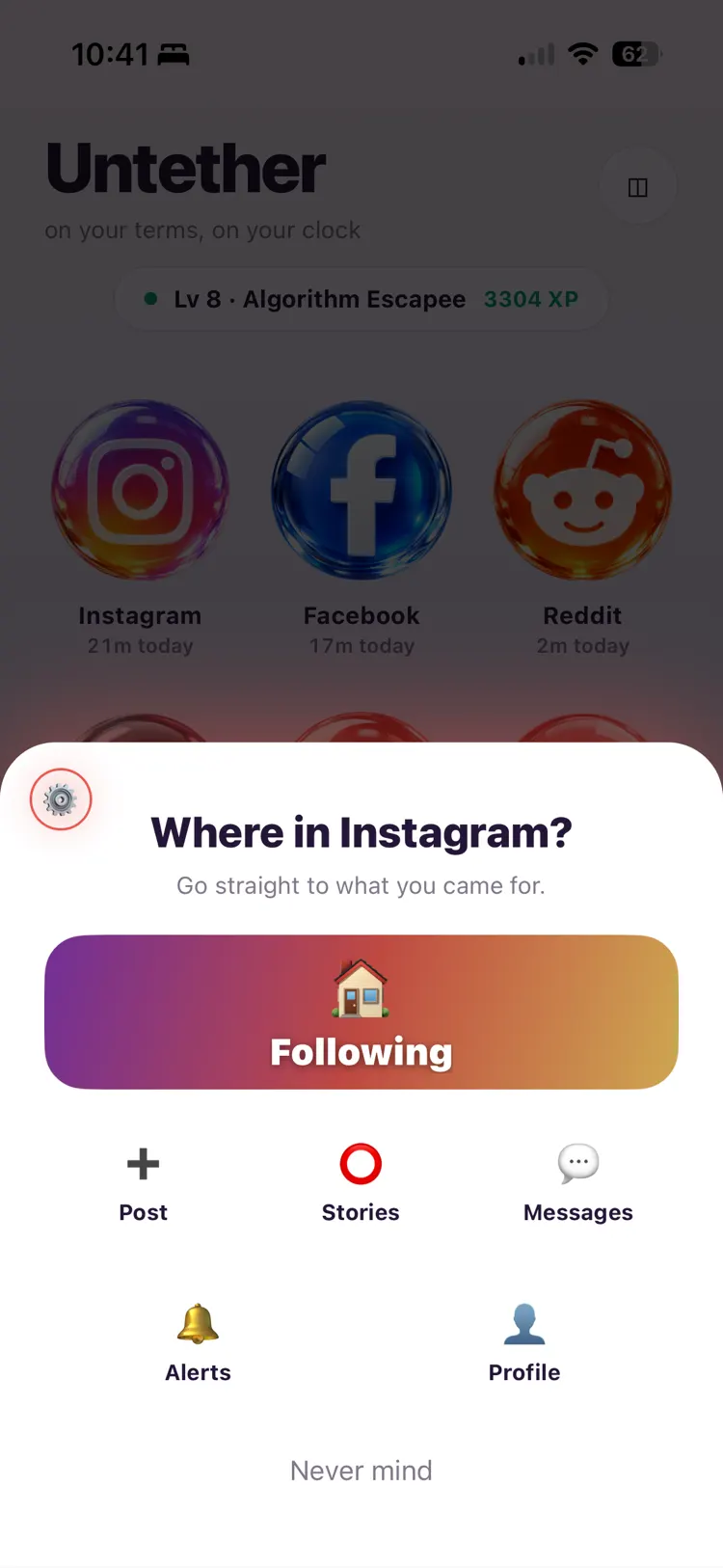
Straight to the thing you opened your phone for
Before a session opens, Untether asks where you were actually headed — Following, a post, stories, messages, alerts, your profile — and drops you straight there. A home-screen widget does the same from outside the app. Either way you never pass the feed.
It's a shortcut into the guardrails — not a way around them. The clock and the lockout still apply.
Following only
Only the people you actually chose
These apps open on a recommendation feed by default. Untether opens on Following or Favorites instead — the accounts you actually chose. No suggested strangers, no “recommended for you.”
Grayscale
Drain the color that makes it moreish
The red badges and the saturated thumbnails are doing work on you. Flip grayscale and they stop — inside Untether only, so the rest of your phone stays exactly as it was.
Sensitive content
Explicit and distressing media, stopped before you see it
Every image and video frame is analyzed before it reaches you — on iOS that's Apple's Sensitive Content Analysis alongside an on-device model, on Android the on-device model. Anything flagged is covered with a block box, and four sensitivity levels let you set the line from nudity-only to strictest.
The checking happens on your device. No image is uploaded, logged, or sent anywhere for analysis.
Parental restrictions
Limits a kid can't quietly undo
Set the filters, the time limits, and the schedule, then lock the whole settings screen behind a passcode. They can use the app. They can't rewrite the rules at eleven at night.
Lock schedules
Hours where it simply won't open
Decide once, in daylight, when you're thinking clearly — then let the schedule hold the line at the hour when you're not.
Time-boxed sessions
Pick a platform. Pick a limit. The clock does the rest.
Choose how long before you go in. When time's up the platform locks for ten minutes — and the timer is written to disk, so killing the app doesn't reset it. Leave early and there's no lockout at all. Restraint is the only cheat code.
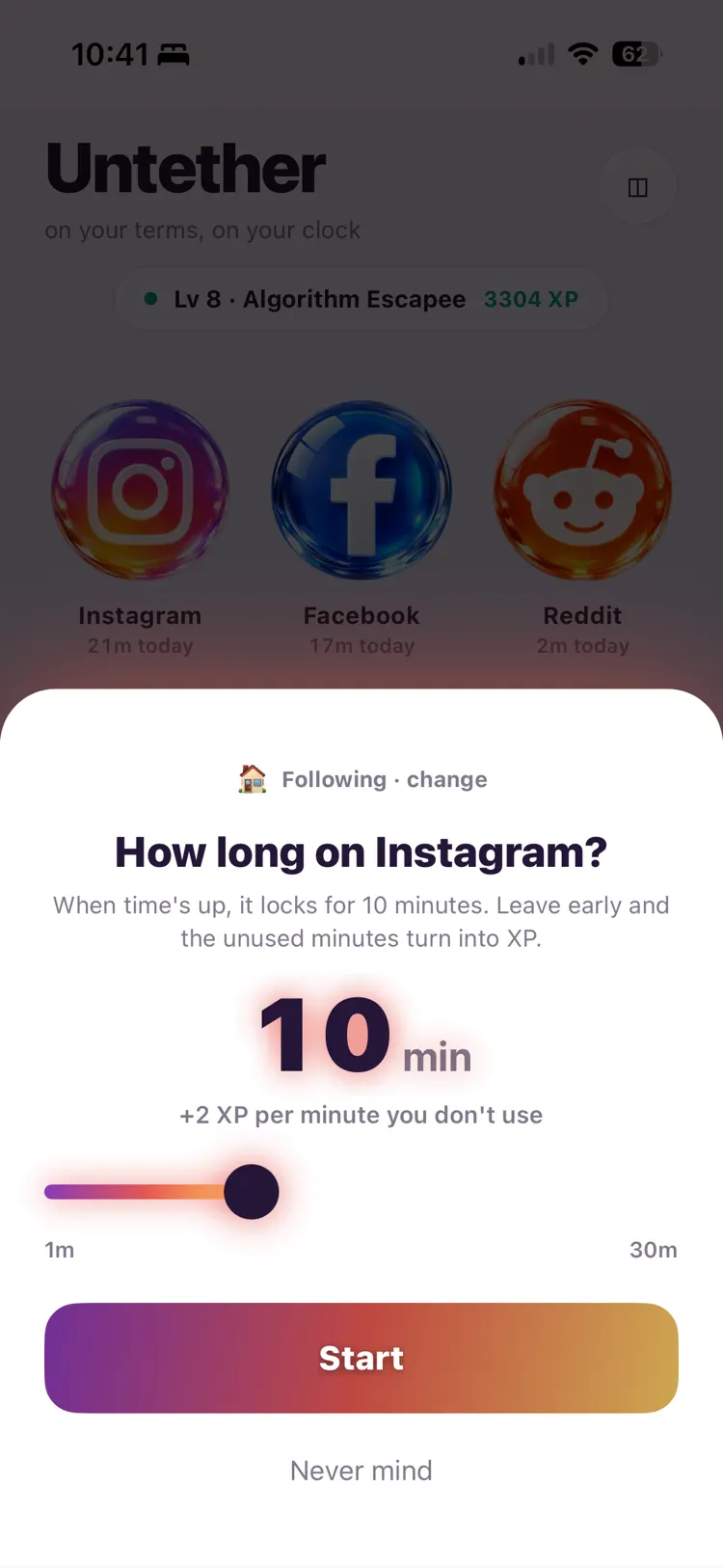
One slider, one to thirty minutes. The number you pick is the number you get — and every minute you don't spend comes back to you as XP, so walking away early is the move that scores.
Overrun and the platform locks for ten minutes. Leave early and there's no lockout at all.
Session running
Ten seconds left and a red countdown starts to pulse — a gentle nudge that the session is wrapping up.
Time's up
9:41
until it opens again
Run the clock out and that platform locks for ten minutes. Force-quit the app and the lockout is still there when you come back.
Tune the guardrails
Trim it down to only what you need
Beyond the big switches above, the smaller ones let you shape each platform into just the useful part.
Block stories
Hide the tray, block the story viewer
DMs only
Nothing but the inbox and your conversations
Per-platform rules
Feed off for one app, on for another
Multiple accounts
Switch logins without meeting the algorithm
Blocking sensitivity
Four levels, nudity-only to strictest
Desktop Marketplace
Message sellers without the app wall
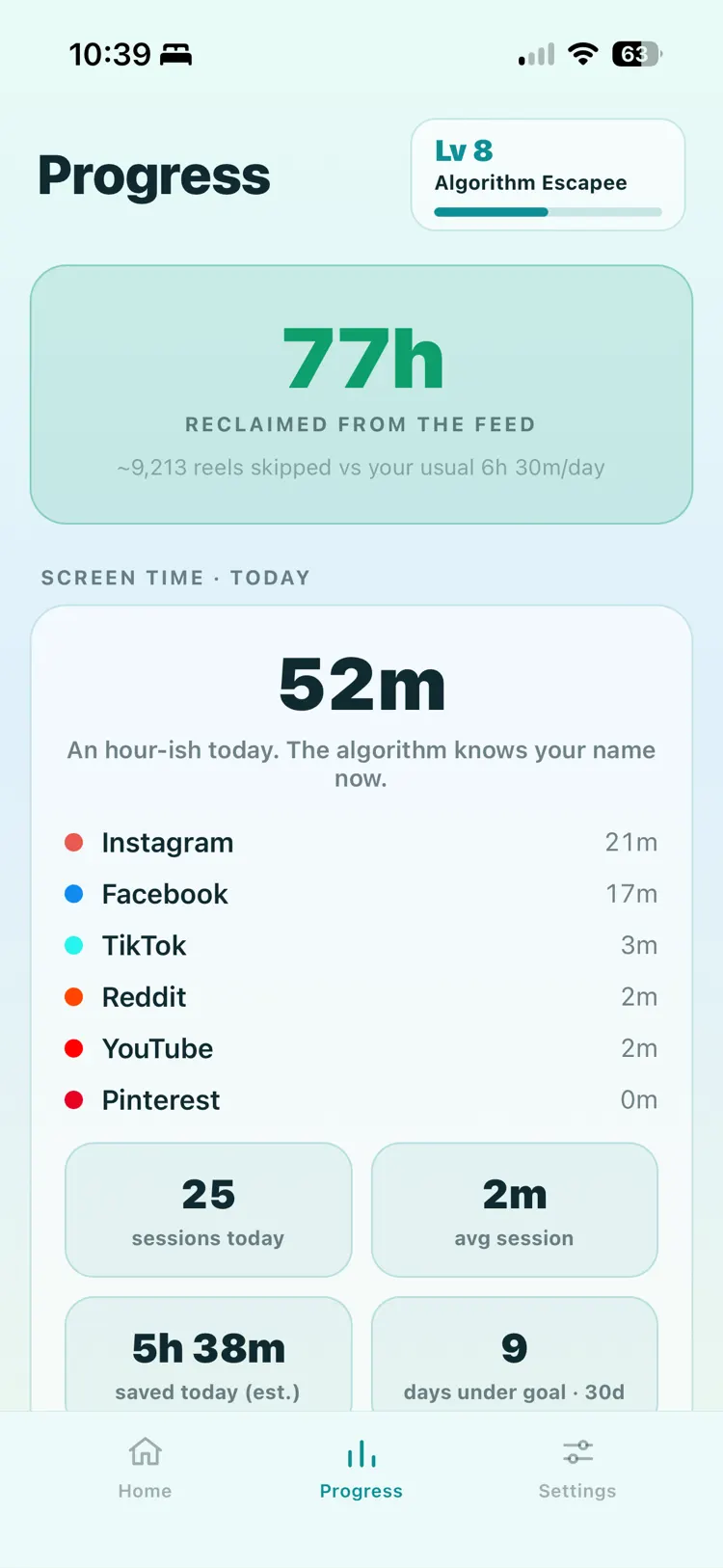
Progress
Not scrolling is the thing you get points for
Untether flips the scoreboard. Leaving early and staying under your limit is the win — so the app celebrates the exits, not the minutes. Levels, streaks, and hours reclaimed make not-scrolling feel like something you're actually good at.
Make it yours
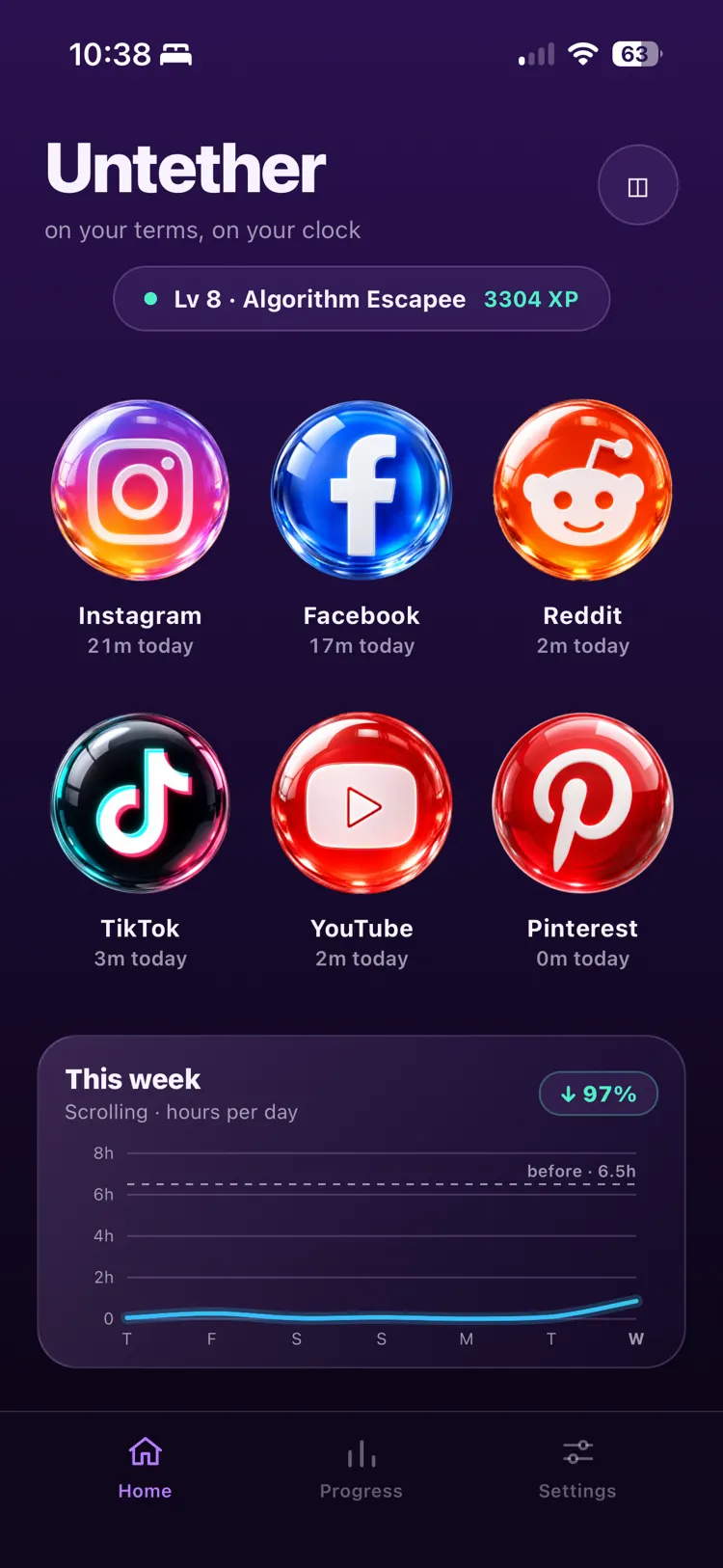
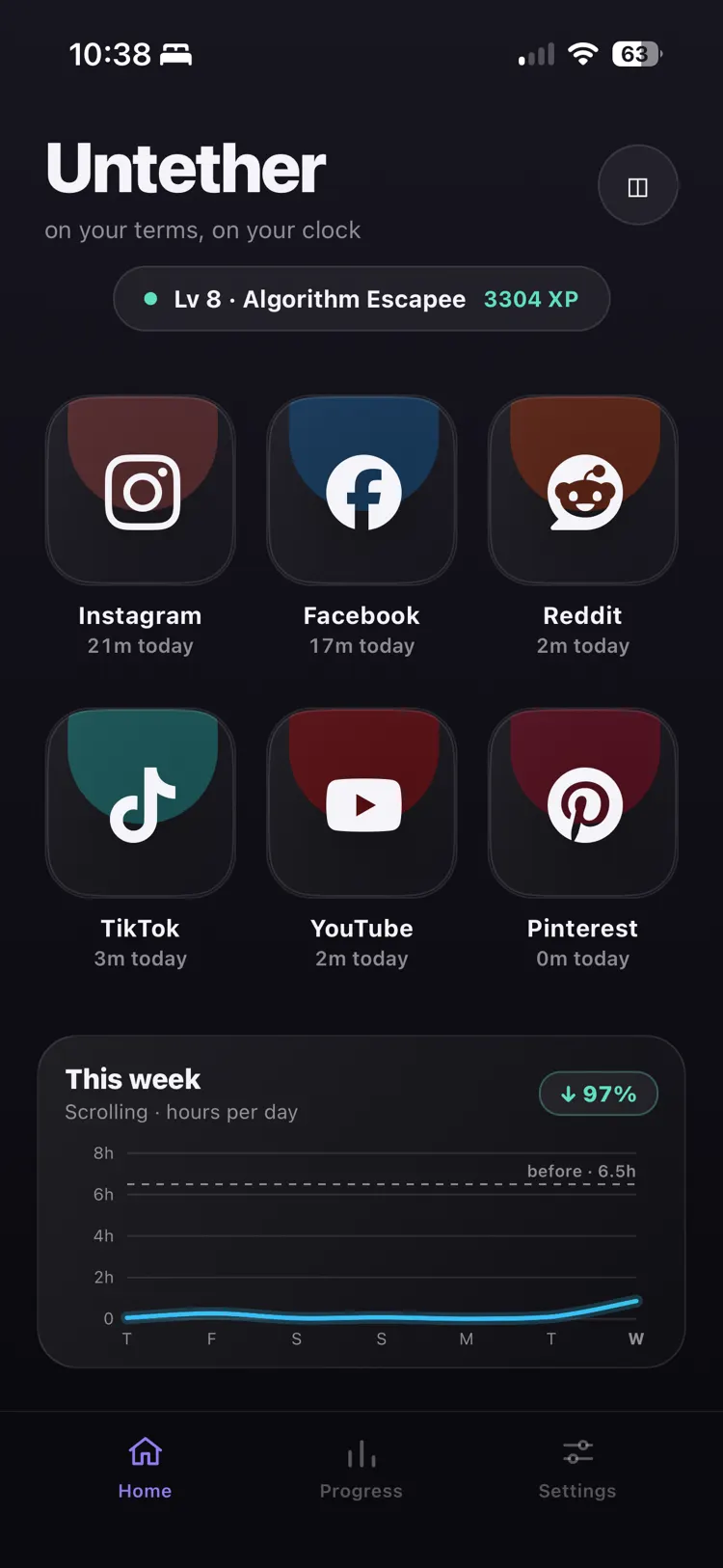
Three ways to wear it
The same calm home screen, in the mood you want it.
- Daylight
- Midnight
- Charcoal
Get what you came for.
Then get on with your day.
Untether keeps the six platforms you actually use worth opening and lets the rest go. One app, iOS and Android.